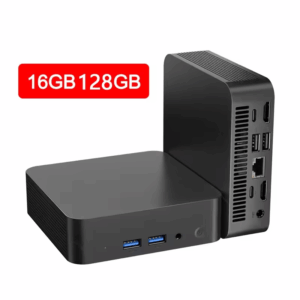
 I recently picked up a Mini PC from AliExpress claiming to feature a Core i9-10980HK CPU married to 16GB of DDR4-3200Mhz System Memory for around $240 AUD. What could possibly go wrong?
Well, when I received it, I found out that it wasn’t a Core i9. It was a Core i3-6006U, which is only a Dual-Core processor with Hyper-Threading (2 Cores, 4 Threads). And the memory it came with was only 8GB – half of what I was promised – and DDR3. What a downgrade…
Read on to find out what the vendor did to fake it as a Core i9 unit and how Claude and I went to work on the BIOS to make it report the legitimate CPU and Memory.
Before You Begin
If you do have such a device from AliExpress, you will need to ensure the BIOS project version says “HSHW_M6_DDR3_EC_Intel_Com_New_10980HK_D_K001“. If it does not, you can read on for your leisure, but do not flash any BIOS to that particular machine of yours as you will get a brick.
The good news is that Claude reports that these machines have a BIOS chip that is a 8 Megabyte SPI 3.3 V MX25L6405 Flash Chip, so you could repair it manually if you have a CH341A plus SOIC-8 clip.
Check out the GitHub repository if you own one of these machines and you want to restore it to the proper CPUID and Memory.
Analysis
CPU Model
The BIOS reports a fabricated “Intel(R) Core(TM) i9-10980HK @ 2.40 GHz” model. It should be reporting “Intel(R) Core(TM) i3-6006U CPU @ 2.00GHz” instead. Why?
This was because the pointer for that string was redirected to a hard-coded “Intel(R) Core(TM) i9-10980HK @ 2.40 GHz” string. The real processor string was still being generated, it was being forced to display something else – in other words, “display this instead or die”.
System Memory (RAM)
This was reporting 16 GB of DDR4 System Memory when it was only 8GB of DDR3 installed. Again, the real string was being populated, it was just being forced to display a bogus string.
Windows blindly believed the BIOS
Task Manager didn’t.
While Task Manager did report “Intel(R) Core(TM) i9-10980HK” for the CPU and 16GB of DDR4, when looking at the details it revealed that it was only 2 Cores, 4 Threads and 8GB of DDR3.
This is because Windows uses the BIOS strings to determine what CPU it is running on, not actually asking the CPU. Running any other system information tool would reveal the i3-6006U model too.
Linux kernel wasn’t having any of that
It dropped the truth nukes. It skipped the bogus reports and directly asked the hardware.
Dmidecode did complain saying the 16 GB reported by the DMI data did not match reality, but running “lscpu” and “free” returned the legitimate values. When in doubt, trust the Penguins.
(Un)Hacking the BIOS
Firstly, we had to dump the BIOS. This was relatively straight forward, although there was a little bit of friction:
flashrom v1.5.1 (git:v1.5.1) on Linux 6.12.30-1-lts (x86_64)
flashrom is free software, get the source code at https://flashrom.org

flashrom was built with GCC 14.2.1 20240910, little endian
Command line (4 args): flashrom --programmer internal -Vr bios_chip_dump.bin
Initializing internal programmer
/sys/class/mtd/mtd0 does not exist
No coreboot table found.
Using Internal DMI decoder.
No DMI table found.
W836xx enter config mode worked or we were already in config mode. W836xx leave config mode had no effect.
Active config mode, unknown reg 0x20 ID: 89.
Found chipset "Intel Skylake U Premium" with PCI ID 8086:9d48.
Enabling flash write... Using libpci PCI_ACCESS_ECAM
BIOS_SPI_BC = 0xa88: BIOS Interface Lock-Down: enabled, Boot BIOS Straps: 0x0 (SPI)
Top Swap: not enabled
SPI Read Configuration: prefetching enabled, caching enabled,
BIOS_CNTL = 0x88: BIOS Lock Enable: disabled, BIOS Write Enable: disabled
SPIBAR = 0x000074bdae217000 (phys = 0xfe010000)
0x04: 0xe000 (HSFS)
HSFS: FDONE=0, FCERR=0, AEL=0, SCIP=0, PRR34_LOCKDN=0, WRSDIS=0, FDOPSS=1, FDV=1, FLOCKDN=1
SPI Configuration is locked down.
Reading OPCODES... done
0x06: 0x020c (HSFC)
HSFC: FGO=0, FCYCLE=6, WET=0, FDBC=2, SME=0
0x0c: 0x00000000 (DLOCK)
DLOCK: BMWAG_LOCKDN=0, BMRAG_LOCKDN=0, SBMWAG_LOCKDN=0, SBMRAG_LOCKDN=0,
       PR0_LOCKDN=0, PR1_LOCKDN=0, PR2_LOCKDN=0, PR3_LOCKDN=0, PR4_LOCKDN=0,
       SSEQ_LOCKDN=0
0x50: 0x0000ffff (FRAP)
BMWAG 0x00, BMRAG 0x00, BRWA 0xff, BRRA 0xff
0x54: 0x00000000 FREG0: Flash Descriptor region (0x00000000-0x00000fff) is read-write.
0x58: 0x07ff0200 FREG1: BIOS region (0x00200000-0x007fffff) is read-write.
0x5C: 0x01ff0001 FREG2: Management Engine region (0x00001000-0x001fffff) is read-write.
0xa0: 0x80 (SSFS)
SSFS: SCIP=0, FDONE=0, FCERR=0, AEL=0
0xa1: 0xfe0000 (SSFC)
SSFC: SCGO=0, ACS=0, SPOP=0, COP=0, DBC=0, SME=0, SCF=6
0xa4: 0x0000 (PREOP)
0xa6: 0x0000 (OPTYPE)
0xa8: 0x00000000 (OPMENU)
0xac: 0x00000000 (OPMENU+4)
0xc4: 0xf3d82005 (LVSCC)
LVSCC: BES=0x1, WG=1, WSR=0, WEWS=0, EO=0x20, VCL=1
0xc8: 0x20452045 (UVSCC)
UVSCC: BES=0x1, WG=1, WSR=0, WEWS=0, EO=0x20
Enabling hardware sequencing because some important opcode is locked.
PROBLEMS, continuing anyway
========================================================================
You may be running flashrom on an unknown laptop. We could not
detect this for sure because your vendor has not set up the SMBIOS
tables correctly. Some internal buses have been disabled for
safety reasons. You can enforce using all buses by adding
  -p internal:laptop=this_is_not_a_laptop
to the command line, but please read the following warning if you
are not sure.

The following protocols are supported: Programmer-specific.
Probing for Programmer Opaque flash chip, 0 kB: Hardware sequencing reports 1 attached SPI flash chip with a density of 8192 kB.
HSFC: FGO=1, FCYCLE=6, WET=0, FDBC=2, SME=0
Chip identified: MX25L6405
Added layout entry 00000000 - 007fffff named complete flash
Found Macronix flash chip "MX25L6405" (8192 kB, Programmer-specific) on internal.
Found Macronix flash chip "MX25L6405" (8192 kB, Programmer-specific).
===
(...)
Skipping writeprotect-based unlocking for read/verify operations.
Reading flash... read_flash: Flash Descriptor region (00000000..0x000fff) is readable, reading range (00000000..0x000fff).
Reading 4096 bytes starting at 0x000000.
The dump continued and reported that it was successful with “done”. I also collected some intel, such as a full log output of dmidecode and lscpu.
Bring in the Fable
At this point, it was midnight and my focus was starting to wane. I needed an extra set of eyes because if I fucked something up, there’s no way I’m going to be fishing around for a SPI Flash clip to unbrick it manually at 12 AM.
Claude Code was sitting idle in the terminal so I switched my attention to it, punched in a detailed prompt telling it about the mini PC and what the BIOS reports vs reality. I set the model to Fable 5.2 and Medium effort. Claude fired up a instance and we started pulling apart the BIOS.
As a bonus, Anthropic had recently given me 3 free resets to use by the end of March 2027 for Fable usage. So, why the hell not? Let it rip!
Revealing the truth
At this point, I paused for a moment and asked myself “how silly is this whole thing?”. A vendor goes and compiles a BIOS that reports fake strings, but anyone with some advanced computing know-how can get the real specs.
What’s even funnier is that in the BIOS, there’s a menu that shows the CPU’s model, frequencies, etc – not the summary page. That revealed the true identity – not the Core i9 10980HK bullshit.
To quote a friend, verbatim: “did the scammer think nobody was ever gonna check the specs post-boot???“.
Write Or Die
A new image was created, and some sanity checks confirmed the backup image was a pristine 1:1 copy to the current BIOS chip contents.
I dumped the chip again to a throw-away scratch image, and compared the new fresh BIOS dump contents to the original BIOS dump. The results passed with 0 changed areas, this meant that the dump wasn’t bad (or dirty).
The point of no return was next. It was time to write the modified BIOS to the flash chip and then do a full power cycle. Unfortunately, writing the image to using flashrom had some complications.
To cut to the chase, the BIOS Write Enable register couldn’t be flicked on using flashrom. That register controls if we can use software to write to the BIOS Flash chip, and since we were denied Flashrom bailed out and printed “Write failed! Uh oh”. Immediately afterwards it began to check the flash to see if any writes actually took place.
Luckily, no writes had actually written to the SPI flash – a expensive brick was avoided. I rebooted the machine and sure enough it booted back into Linux. Claude and I brainstormed for a while, checking some machine registers and scanning the BIOS dump for any hidden menu options. Turned out that just flashrom was having trouble.
One python script later (included in the git repository) and bam, we had the BIOS Write Enable register set to 1 – Write access was granted! Stop if you see smoke.
The Aftermath
Flashrom was instructed to try again, and the write was successful and verified. After proudly trumpeting its success, and it was time for the potential victory lap. Will it boot?
To ensure that nothing weird happened and Linux was running from RAM anyway, I pulled the power cable. Waited 10 seconds, plugged back in and turned on. The machine came back to life, and I entered the BIOS. The results spoke for themselves:
Processor Type: Intel(R) Core(TM) i3-6006U CPU @ 2.00GHz
Total Memory: 8192 MB
Memory Frequency: 1600Mhz
There you have it: We hacked the BIOS to unhack the BIOS, revealing the true CPU and Memory.
I think I might have been insane to do this originally, but hey. Seems past my bedtime is when the real development strats come out to play.
Check out the GitHub repository as all the goodies are there… and should you come across one of these units yourself, they’re actually decent Core i3 boxes.
If you enjoyed this write up and you wish to support me, please consider dropping me a coffee via Ko-Fi or Buy Me A Coffee.
Thanks again, and I’ll see you again soon.
-Coburn
Bonus: lscpu dump
Congrats, you’ve found a the bonus lscpu dump. Here’s what the CPU actually is under Linux. I thought I’d put it here to not clutter the whole post.
Architecture:                            x86_64
CPU op-mode(s):                          32-bit, 64-bit
Address sizes:                           39 bits physical, 48 bits virtual
Byte Order:                              Little Endian
CPU(s):                                  4
On-line CPU(s) list:                     0-3
Vendor ID:                               GenuineIntel
Model name:                              Intel(R) Core(TM) i3-6006U CPU @ 2.00GHz
CPU family:                              6
Model:                                   78
Thread(s) per core:                      2
Core(s) per socket:                      2
Socket(s):                               1
Stepping:                                3
CPU(s) scaling MHz:                      30%
CPU max MHz:                             2000.0000
CPU min MHz:                             400.0000
BogoMIPS:                                4001.60
Flags:                                   fpu vme de pse tsc msr pae mce cx8 apic sep mtrr pge mca cmov pat pse36 clflush dts acpi mmx fxsr sse sse2 ss ht tm pbe syscall nx pdpe1gb rdtscp lm constant_tsc art arch_perfmon pebs bts rep_good nopl xtopology nonstop_tsc cpuid aperfmperf pni pclmulqdq dtes64 monitor ds_cpl vmx est tm2 ssse3 sdbg fma cx16 xtpr pdcm pcid sse4_1 sse4_2 x2apic movbe popcnt aes xsave avx f16c rdrand lahf_lm abm 3dnowprefetch cpuid_fault epb pti tpr_shadow flexpriority ept vpid ept_ad fsgsbase tsc_adjust bmi1 avx2 smep bmi2 erms invpcid mpx rdseed adx smap clflushopt intel_pt xsaveopt xsavec xgetbv1 xsaves dtherm arat pln pts hwp hwp_notify hwp_act_window hwp_epp vnmi
Virtualization:                          VT-x
L1d cache:                               64 KiB (2 instances)
L1i cache:                               64 KiB (2 instances)
L2 cache:                                512 KiB (2 instances)
L3 cache:                                3 MiB (1 instance)
NUMA node(s):                            1
NUMA node0 CPU(s):                       0-3
Vulnerability Gather data sampling:      Vulnerable: No microcode
Vulnerability Indirect target selection: Not affected
Vulnerability Itlb multihit:             KVM: Mitigation: Split huge pages
Vulnerability L1tf:                      Mitigation; PTE Inversion; VMX conditional cache flushes, SMT vulnerable
Vulnerability Mds:                       Vulnerable: Clear CPU buffers attempted, no microcode; SMT vulnerable
Vulnerability Meltdown:                  Mitigation; PTI
Vulnerability Mmio stale data:           Vulnerable: Clear CPU buffers attempted, no microcode; SMT vulnerable
Vulnerability Reg file data sampling:    Not affected
Vulnerability Retbleed:                  Vulnerable
Vulnerability Spec rstack overflow:      Not affected
Vulnerability Spec store bypass:         Vulnerable
Vulnerability Spectre v1:                Mitigation; usercopy/swapgs barriers and __user pointer sanitization
Vulnerability Spectre v2:                Mitigation; Retpolines; STIBP disabled; RSB filling; PBRSB-eIBRS Not affected; BHI Not affected
Vulnerability Srbds:                     Vulnerable: No microcode
Vulnerability Tsx async abort:           Not affected